
DashBet Ethiopia app – Android & iOS
Most Ethiopian bettors place wagers from a phone, not a desktop. The DashBet Ethiopia mobile app is built for exactly that — fast loading on Ethio Telecom and Safaricom connections, Telebirr deposits in under a minute, and the full game library available from anywhere in Addis Ababa, Hawassa or Dire Dawa.
Android users can download the APK directly from the partner site. iOS users access the same features through the mobile browser version, which works well on Safari without any installation needed.


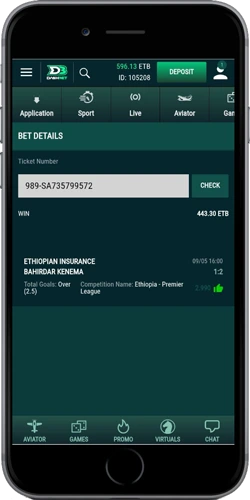
How to download and install the DashBet Ethiopia app
Installing the Android APK takes about 90 seconds on a standard connection. The file size is roughly 25–35 MB, so even on a 3G connection it completes quickly. Before you start, you'll need to allow installs from unknown sources — this is a one-time setting on your Android device.
System requirements and compatibility
The app is designed to run on mid-range Android devices that are common in Ethiopia — not just flagship phones. If your phone is from 2018 or later and runs Android 6.0 or above, it should work without issues.
| Specification | Android (APK) | iOS (Browser) |
|---|---|---|
| Minimum OS version | Android 6.0 (Marshmallow) | iOS 13 / Safari 13 |
| Storage needed | ~50 MB after install | None (browser-based) |
| RAM requirement | 1 GB minimum, 2 GB recommended | Standard browser RAM |
| Internet connection | 3G minimum, 4G recommended | 3G minimum |
| Google Play | Not available – direct APK only | Not applicable |
| App Store | Not applicable | Not available – use Safari |
| Auto-update | Manual – check site for new APK | Automatic via browser |
The app is not listed on Google Play or the Apple App Store — this is standard practice for licensed Ethiopian betting operators. Always download the APK from the official partner link, not from third-party APK repositories, to avoid modified or outdated files.
What you can do on the DashBet Ethiopia mobile app
The mobile app covers the same features as the desktop site. Nothing is cut down or limited. Ethiopian players in particular tend to use the app for live betting on Premier League and Ethiopian Premier League matches — the real-time odds update smoothly even on a standard 4G Ethio Telecom connection.
Tips for using the DashBet app in Ethiopia
A few things worth knowing before you start. Ethiopia's mobile internet is reliable in Addis Ababa, Dire Dawa, Bahir Dar and other major cities, but connection speeds vary in rural areas. The app loads core content first, so even on a slower connection the betting interface appears within a few seconds.
If the APK won't install, the most common reason is that "Install unknown apps" is still disabled for your browser app. Go to Settings → Apps → [your browser] → Install unknown apps and turn it on. If you've done that and it still fails, try clearing your browser's cache and re-downloading the file — partial downloads sometimes produce a corrupted APK.
Keep an eye on the partner site for APK version updates. The app doesn't auto-update the way Play Store apps do, so if you notice features missing or slow performance after a few months, there's likely a newer version available. Updating takes the same 90-second process as the original install.
For iOS users: add the mobile site to your home screen for a near-native experience. In Safari, tap the Share button and choose "Add to Home Screen" — it creates a shortcut icon that opens the site in full-screen mode without the browser address bar.